Surfshark
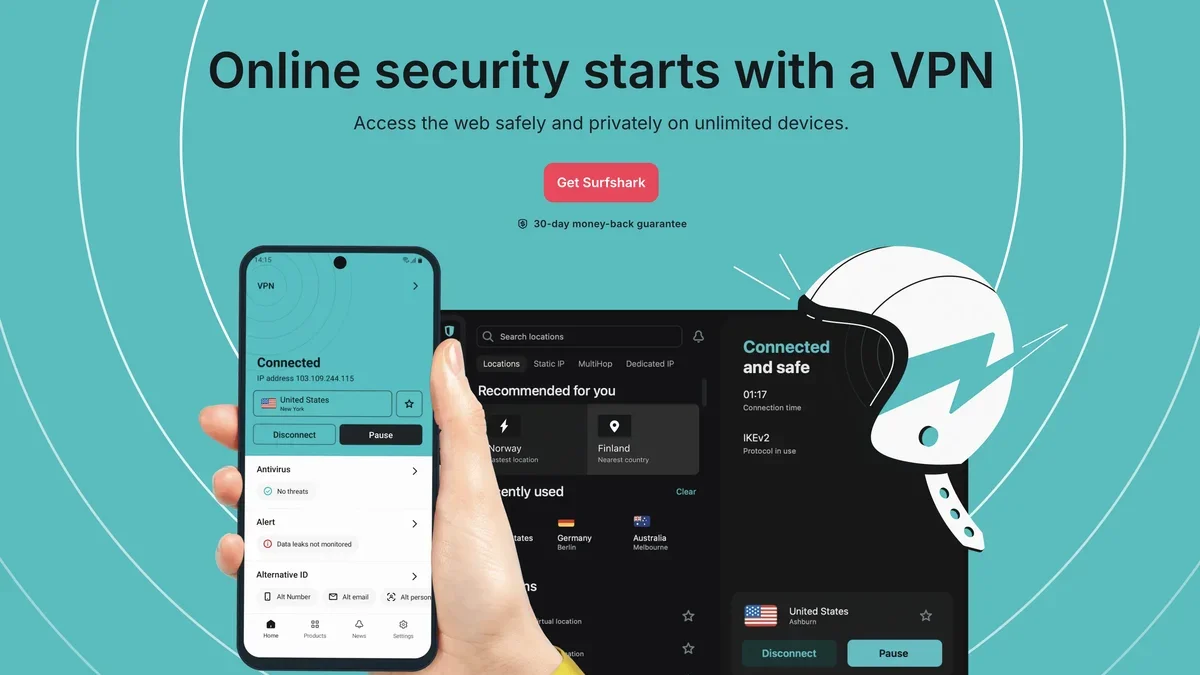
Surfshark is a comprehensive security suite offering an audited no-logs VPN, real-time antivirus protection, and identity defense tools like ALERT and Alternative ID.
About Surfshark
Surfshark delivers comprehensive online security, featuring an audited no-logs VPN, real-time malware defense, and advanced identity protection services like ALERT and INCOGNI.
Key Features
Unlimited Simultaneous Devices
A single Surfshark subscription allows you to protect your entire household simultaneously, connecting multiple devices without restriction.
Advanced Identity Protection Suite
Gain peace of mind with ALERT, which notifies you of data leaks, and INCOGNI, which proactively contacts data brokers to remove your personal information.
Real-Time Malware Defense
Surfshark Antivirus scans files before you open or download them, shielding your devices from malicious threats without interrupting your workflow.
CleanWeb Ad and Tracker Blocking
Experience cleaner browsing with CleanWeb, which blocks intrusive ads, banners, pop-ups, and online trackers, enhancing both speed and security.
Dynamic MultiHop (Double VPN)
Route your traffic through two separate VPN servers, offering an extra layer of encryption and anonymity for highly sensitive online activities.
Audited No-Logs Policy
Surfshark maintains a strict, independently audited no-logs policy, ensuring that your online activities, connections, and browsing history are never tracked or stored.
Use Cases
Bypassing Network Restrictions
Utilize the NoBorders feature to detect restricted networks and access a curated list of servers optimized to work effectively under those limitations.
Protecting Multiple Household Devices
Secure every smartphone, laptop, tablet, and streaming device in your home with one Surfshark subscription, ensuring unified security coverage.
Preventing Identity Theft Exposure
Use ALERT to receive immediate notifications if your email or credit card details appear in online breaches, allowing for swift protective action.
Securing Public Wi-Fi Connections
Automatically connect to the VPN using Auto-connect whenever you join an unsecured network, ensuring all transmitted data remains encrypted.
Maintaining Anonymity from ISPs
Employ obfuscated servers to hide the fact that you are using a VPN, preventing your Internet Service Provider from monitoring your encrypted traffic.
Removing Personal Data from Brokers
Leverage INCOGNI to automate the tedious process of requesting data removal from numerous data brokers, significantly reducing your digital footprint.
Frequently Asked Questions
Which operating systems are compatible with Surfshark?
Surfshark is compatible with major platforms including Windows, macOS, Linux, Android, and iOS, alongside dedicated browser extensions for Chrome, Firefox, and Edge.
Does Surfshark offer protection for my identity?
Yes, Surfshark includes identity protection tools like ALERT for data leak monitoring and Identity Theft Coverage offering reimbursement and investigator support.
Can I use Surfshark on my smart TV or streaming box?
Yes, Surfshark supports Android TV and AppleTV devices directly, in addition to manual connection options for various other streaming setups.
What happens if my VPN connection drops unexpectedly?
If the VPN connection drops, the Kill Switch feature immediately cuts off your internet access, preventing any unencrypted data from being exposed.
Is there a way to test Surfshark before committing to a plan?
Yes, Surfshark offers a Free Trial option that allows you to test the service on up to 3 devices before purchasing a full subscription.
How does Surfshark ensure fast VPN speeds?
Surfshark utilizes high-speed VPN servers, many upgraded to 10Gbps, and employs modern protocols like WireGuard® to maintain speed without compromising security.
Quick Info
- Pricing
- Freemium
Official Website
surfshark.com
External link